Version 2 Templates
Screenshots
More flexability and large preview images.
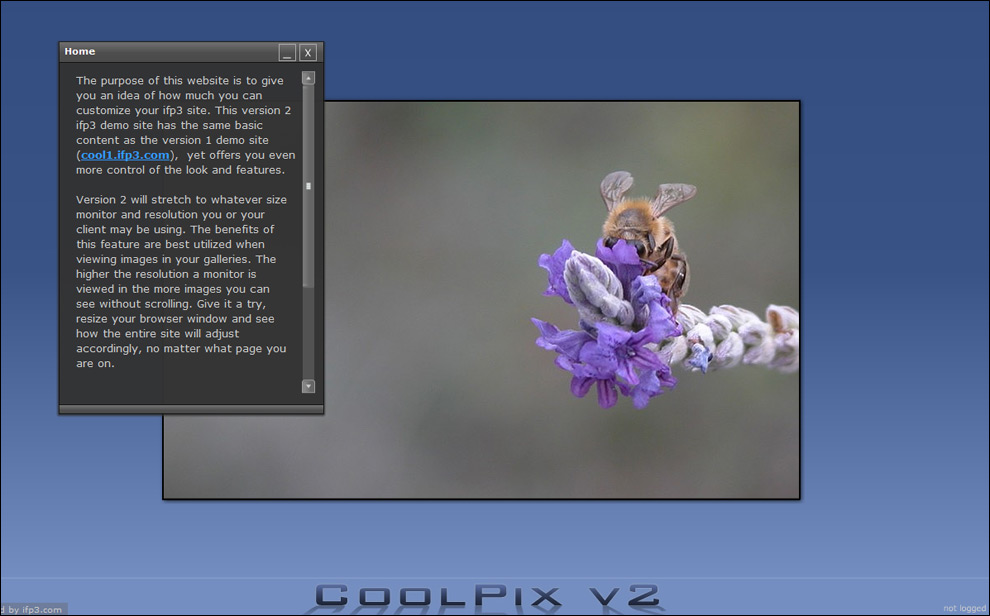
Website Header
With the version 2 template you can position your header graphic on the top, sides, or bottom of your site.
The graphic below shows a bottom positioned header.
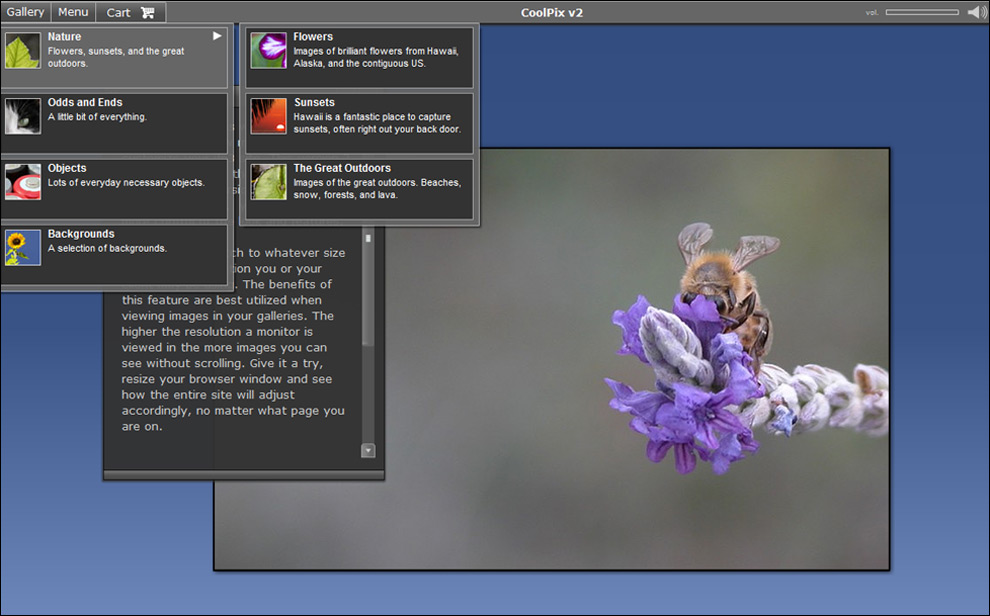
Optional Graphical Menu
In the image below you can see the Gallery menu expanded and showing the thumbnails and
descriptions for each folder and gallery.
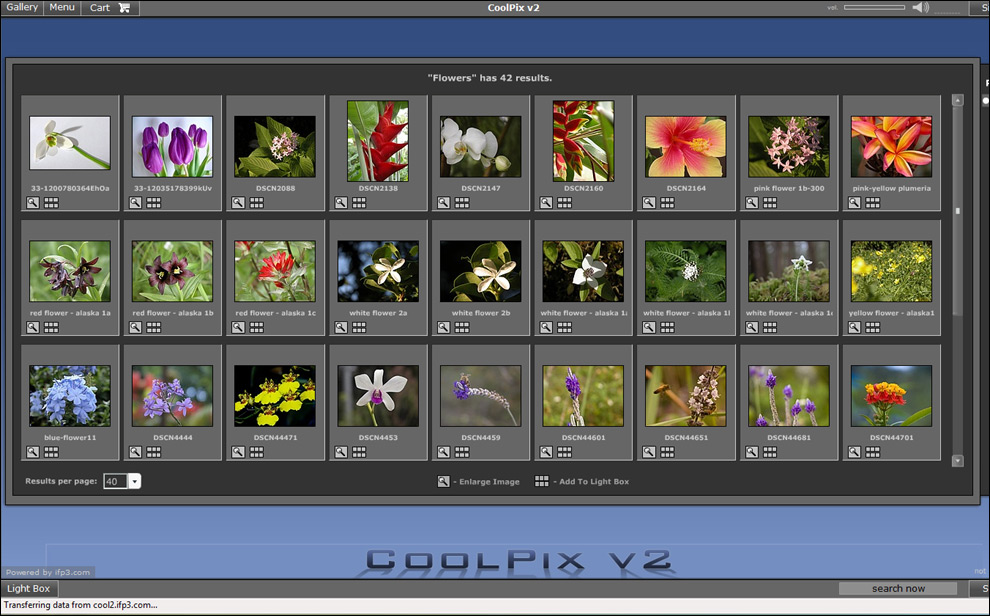
Intelligent thumbnail display
With the version 2 template the display of thumbnails is decided by the available browser space on a
users screen. The more browser/monitor space available, the more thumbnails that will show. This is a handy
feature for
your customers with larger monitors and allows them to take advantage of all the space they have.
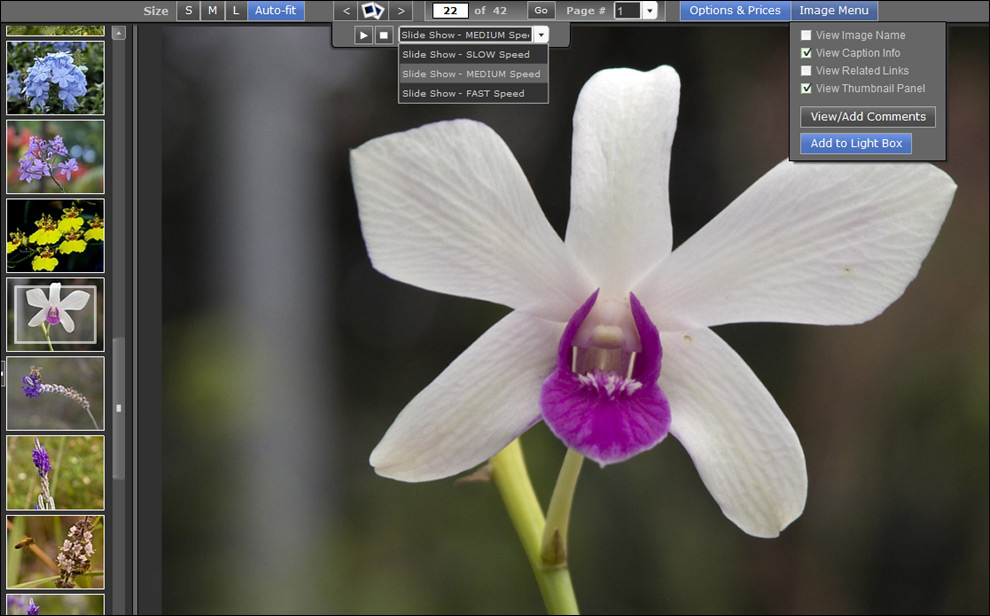
Large Image Viewer
You can display images up to 1200 pixels on the longest side using the Version 2 template. The Large Image Viewer
can be set up to show the thumbnails on the left of the screen (see graphic below), enable slideshow controls, and
other image related functions shown in the next section.
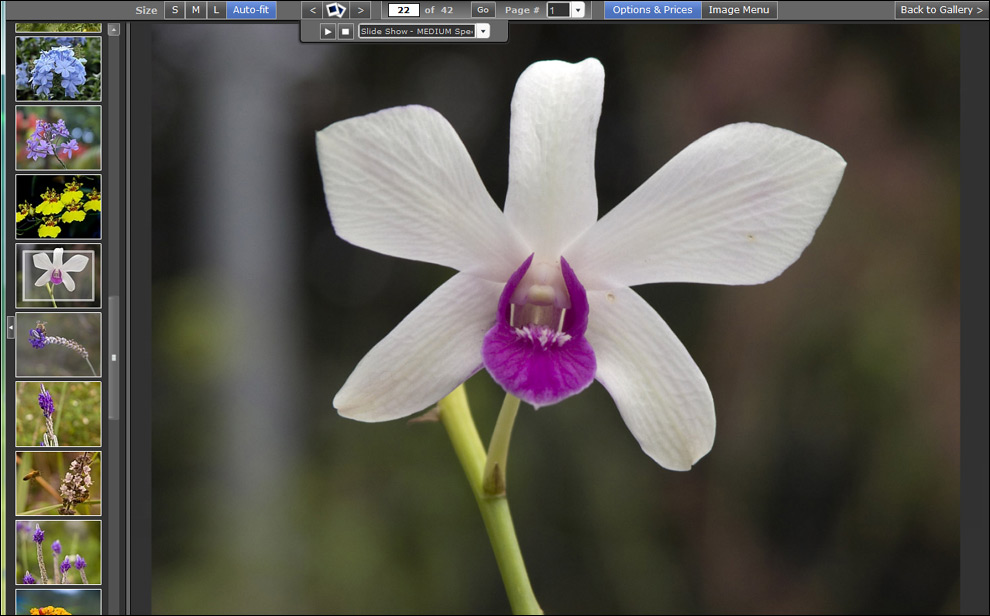
Large Image Viewer Controls
In the graphic below you can see the slide show controls expanded as well as the image controls. You
have the option in your Administration Area to decide what the defaults are but your customers can
also turn features on and off that suit their specific viewing needs.
Visit ifp3
|